Case Study: Sharing Books and Chapters on an eLearning Website with qURL
An academic eLearning website lets readers share a whole book or a single chapter through a one-time qURL link, while the book content stays on a private reading service with no public endpoint.
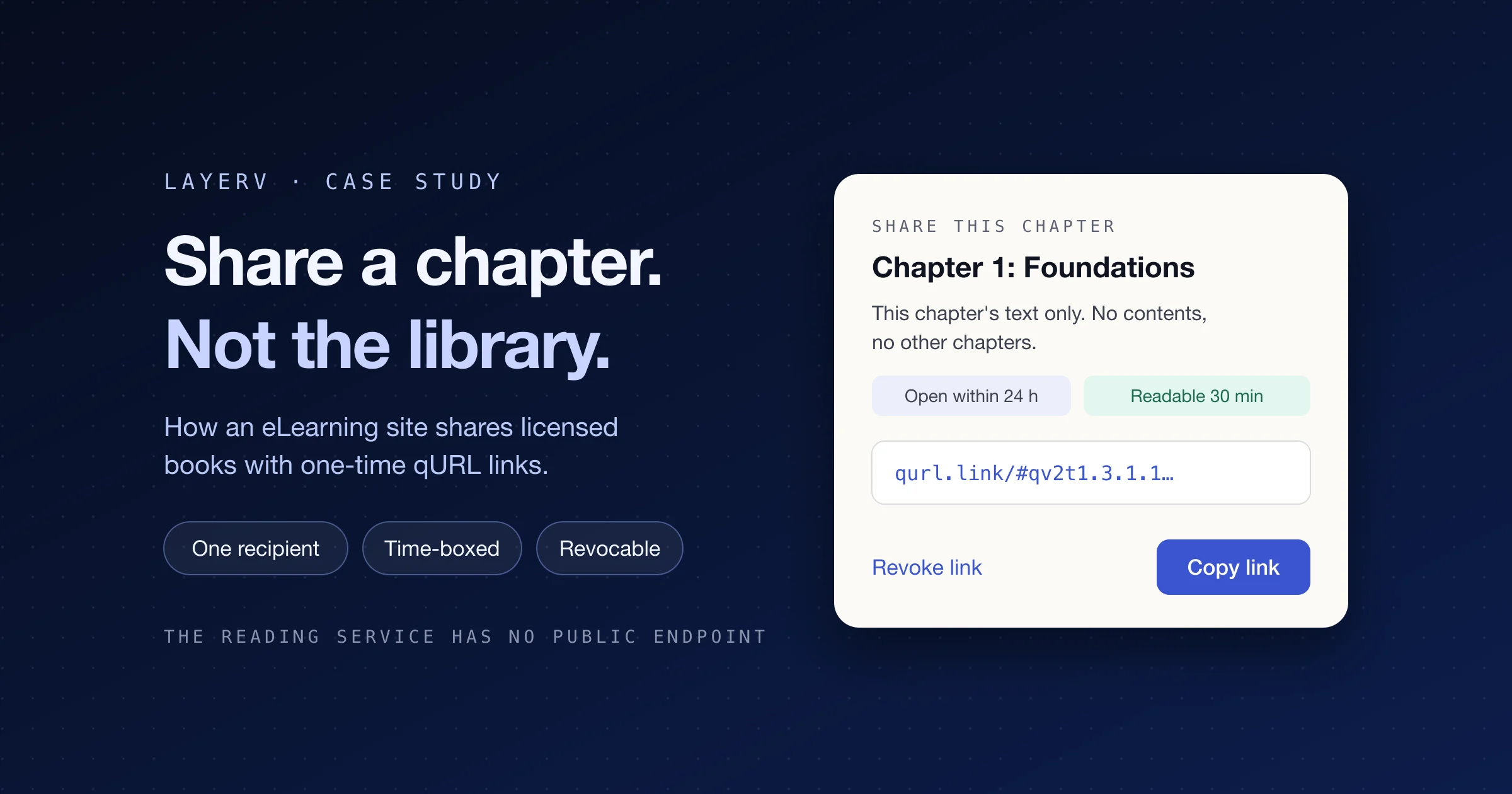
An academic eLearning website lets its readers share a whole book or a single chapter through a one-time qURL™ link, and the book content stays on a private reading service that has no public endpoint.
| Customer | An academic eLearning website offering a book library, practice and courses |
|---|---|
| Use case | Share a book or one chapter with a specific recipient, time-boxed and revocable |
| qURL features used | Resource qURLs with |
| Architecture | SPA front end; a separate private reading service reached only through a qURL connector |
| Key design choice | The site's own share record (share ID → allowed chapters) decides what content is visible; qURL decides who gets in and for how long |
| Shipped scope | Text only; audio is excluded |
The challenge
The site's readers wanted to pass a book or a chapter to a friend, but the content is licensed and gated by reading permissions. A normal URL would either expose the whole library or require the recipient to sign up.
The development team needed sharing that met four requirements:
- Scoped: a chapter share must expose that chapter only, with no table of contents or neighbouring chapters.
- Single-recipient: a forwarded or re-opened link should not give a second person access.
- Time-boxed: the link must expire if unopened, and a reading session must end.
- Revocable: the sharer can kill the link at any time, and access stops immediately.
The user experience
Sharing is two clicks from the reader: "Share book" in the book header, or "Share chapter" above the chapter text. Each opens a confirmation dialog before any link is minted.


Mock-ups based on the site's share dialogs; the book title and link are placeholders.
| Share book | Share chapter | |
|---|---|---|
| What the recipient sees | All currently published, shareable text chapters and the contents | This chapter's text only, no contents or other chapters |
| First access | Within 24 hours of creation | Within 24 hours of creation |
| Access after first open | 24 hours | 30 minutes |
| Audio | Not included | Not included |
The dialog copy does useful security work for the user:
- It states exactly what the recipient can read before the link is created.
- It says "Send only to your intended recipient."
- After creation, it warns "Do not open it to test: this may consume its first use."
- "Copy link" and "Revoke link" sit side by side, so revocation is always one click away.
Benefits
The biggest win is that shared books and chapters are invisible on the public internet, so search engines and AI bots have nothing to crawl or scrape.
- Invisible to crawlers and AI scrapers. The reading service has no public endpoint. It is reachable only through the qURL connector, after qURL has validated the link, so search engines and AI crawlers have no public address to discover, index or scrape.
- Leaked links go dead. Each link redeems once and expires on its own schedule, so a link reposted on a forum or picked up by a bot is useless after first use or expiry.
- Precise scope. A chapter share exposes that one chapter; a book share exposes only the chapters that were shareable when it was created.
- One recipient, one session. Each link opens once and allows one session, so a link forwarded after it was opened gets nobody else in.
- Flexible expiration. Each kind of share gets its own first-access window and access period, set per link.
- Instant revocation. The sharer can cut off access at any time with one click.
- Authorization stays with the site. qURL controls who gets in and for how long; the site's own database still decides what each share may show.
Solution architecture
The site split responsibility cleanly: qURL controls who reaches the reading service and for how long, and the site's own database controls which content a share may show.
| Component | Role |
|---|---|
| eLearning SPA | The everyday app. Paths like |
| Private reading service | A separately run service that renders shared content at
|
| qURL connector | The private connector through which qURL forwards approved sessions to the reading service. |
| qURL platform | Mints the link, enforces the open window, one-time redemption and session limits, and handles revocation. |
| App database | Holds one share record per share: random share UUID, sharer, book, language, authorized
chapter list, expiry, revocation state, and the |
The key decision was to point every qURL at a share-specific path, /view/{share_id}, rather than at a book or chapter URL. The share ID is an opaque handle; the mapping from share ID to allowed chapters lives only in the site's database. A recipient therefore cannot widen access by editing the path, and the authorization logic stays in the site's own code. qURL enforces the path as well: a link minted for /view/{share_id} permits that path and the chapter routes below it, but not another share's path.
Creating a share link

The site checks the sharer's permission and saves the share record before calling qURL, so every link points at a share that already exists and can be revoked.
Opening a share link

qURL checks the open window and use limits before any traffic reaches the eLearning site; the reading service then asks its own database which chapters this share allows.
Integration walkthrough
The share lifecycle runs in six steps, with the site checking authorization on both ends: when the link is created and on every request.
- Create the share record. When a user clicks "Share book" or "Share chapter", the backend first verifies the user's own reading permission. It then saves a share record with a random UUID, sharer, book, language, authorized chapter list, expiry and revocation state.
- Serve a share-specific path. The reading service exposes
/view/{share_id}dynamically. Content is still read from the database. A whole-book share snapshots the set of chapters that were shareable when the share was created. - Mint the qURL. The backend calls
POST /v1/resources/{crid}/qurlswithtarget_path=/view/{share_id}. Each qURL is set to one redemption and at most one session, with the expiration rules below. - Hand the link to the user. LayerV returns a
qurl_link, which the app shows for copying. The matchingqurl_idis stored in the share record for later revocation. - Enforce scope on every request. After the recipient enters through qURL, the reading service checks on each request that the share is still valid and the chapter is in the authorized set.
- Book shares switch chapters via
/view/{share_id}/chapters/{translation_id}. - Chapter shares show no table of contents; any other chapter returns 404.
- Only text is shared today.
- Book shares switch chapters via
- Revoke in the right order. Revocation first closes content access in the site's backend, then calls LayerV to revoke the link. Content is cut off even if the LayerV call is slow or fails.
Every request field above is in the qURL API reference: target_path, one_time_use, max_sessions, session_duration and expires_in on the create call, and a DELETE on the same qURL to revoke it.
qURL's expiration policy is flexible: every link carries its own first-access window and its own access period after first open, so one integration can apply different rules to different kinds of share. The site uses three rules:

| Rule | Applies to | Limit |
|---|---|---|
| First access | Every share link | Must be opened within 24 hours of creation |
| Single chapter | Chapter shares | 30 minutes of access after first open |
| Entire book | Book shares | 24 hours of access after first open |
Design patterns worth reusing
Five choices in this integration generalize to any app that shares gated content through qURL.
- Point qURLs at a share handle, not at content.
/view/{share_id}keeps the authorization mapping in the app's database. Changing what a share allows needs no new link. - Never target SPA hash routes. Fragments like
#librarynever reach the server, so qURL cannot scope them. Shared content needs real server-side paths. - Authorize twice. Check the sharer's permission at creation, then check share validity and chapter scope on every request. qURL gates entry; the origin gates content.
- Snapshot the scope. A whole-book share stores the chapter set shareable at creation time, so later publishing changes do not silently widen an existing share.
- Revoke at the origin first. Closing access locally before calling LayerV guarantees content is cut off even if the revoke call is delayed.
Outcome
The eLearning site now offers book and chapter sharing on qURL, with the reading service never exposed to the public internet. The pattern of qURL for entry and the app's own share record for content scope is a template other content apps can follow.
Sharing documents rather than a reading app? The same one-time, revocable links power secure file and document sharing. To build this pattern yourself, start from the API reference or start free, and browse more qURL examples.